
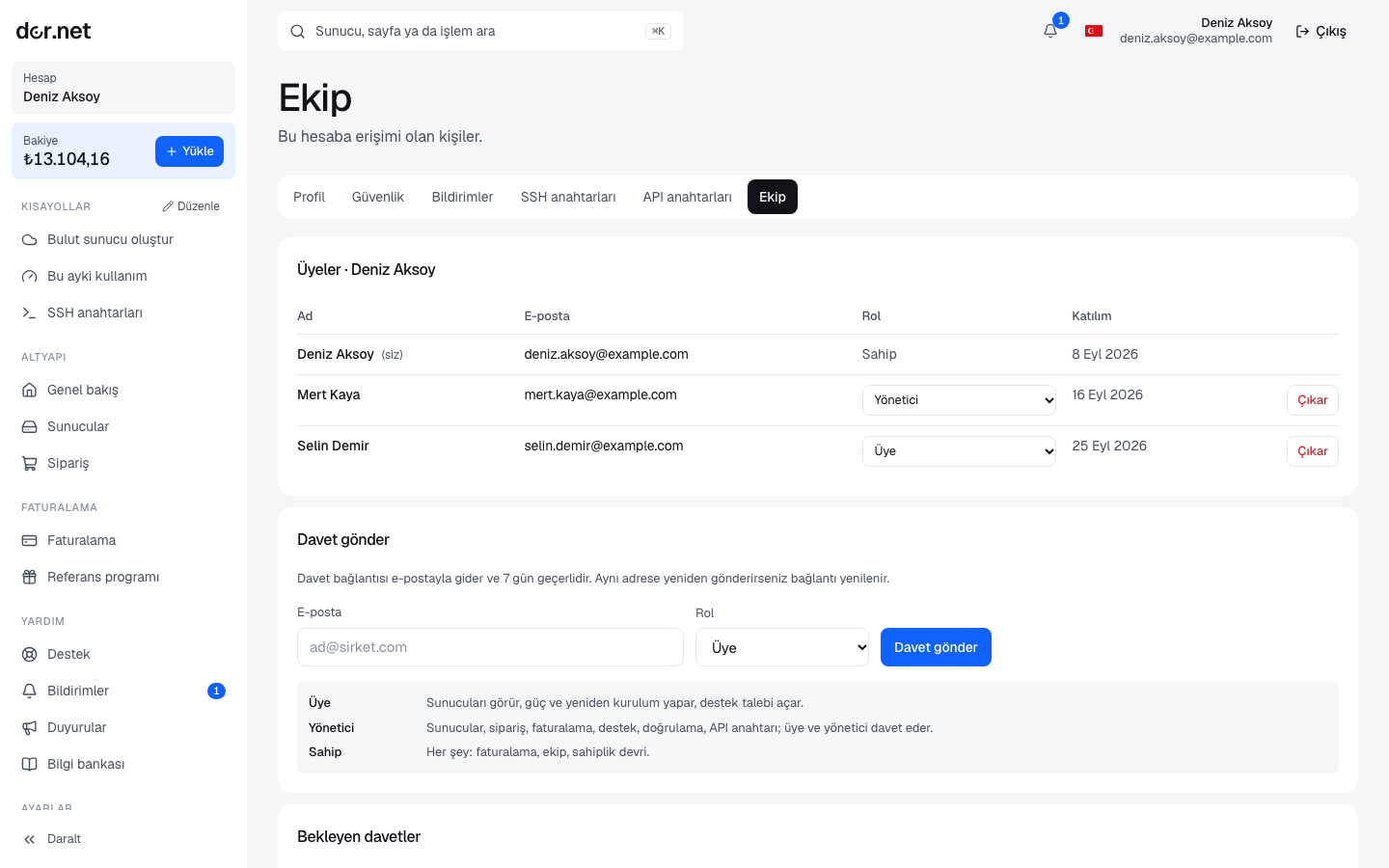
Roles
| Permission | Owner | Admin | Member |
|---|---|---|---|
| View servers | ✓ | ✓ | ✓ |
| Power, reboot, reinstall | ✓ | ✓ | ✓ |
| Open support tickets | ✓ | ✓ | ✓ |
| Place orders, create servers | ✓ | ✓ | — |
| Top up, documents | ✓ | ✓ | — |
| Verification and profile | ✓ | ✓ | — |
| SSH and API keys | ✓ | ✓ | — |
| Invite (admin / member), remove members | ✓ | ✓ | — |
| Invite as owner, change roles | ✓ | — | — |
| Transfer ownership | ✓ | — | — |
Every organization has at least one owner; the last owner cannot be downgraded, removed, and cannot leave.
Inviting
- On Account → Team enter an email, choose a role and press Invite.
- The invitee receives an email with a link valid for 7 days. Sending a new invitation to the same address replaces the old link. An organization can send at most 20 invitations per day.
- The invitee opens the link: with an existing account they sign in, otherwise they register with the same email (accepting the agreement). An invitation can only be accepted with the invited email address.
- You can cancel pending invitations from the list and resend expired ones.
Someone who is already a member cannot be invited again; use the role menu to change their role.
Changing roles, removing, leaving
- Role changes are made by owners only. To downgrade yourself there must be another owner first.
- Removing: owners and admins can remove members and admins; an owner cannot be removed. Sessions of the removed person that had this organization selected fall back to their other organization.
- Leaving: members and admins can leave on their own; an owner must transfer ownership first.
Transferring ownership
An owner picks an existing member and transfers ownership: the target becomes owner and the former owner becomes admin. The transfer is effective immediately; to reverse it the new owner has to transfer back. Do not forget this step on company changes (a partner leaving, a sale).
Switching organizations
If you belong to several organizations, the organization name in the console header is a menu; switch from there. The selection is tied to your session: another device may have a different organization selected. Balance, servers, invoices, SSH and API keys belong to the organization; password and two-factor authentication belong to the user.
Good practice
- Member is enough for day-to-day work and admin for purchasing and billing; keep the number of owners small.
- Everyone signs in with their own account; avoid shared accounts, so the audit log shows who did what.
- Ask admins to enable two-factor authentication.
- Remove leavers immediately; API keys they created belong to the organization and keep working, so revoke them if needed.