
Creating a key
- Open Account → API keys (owner or admin role required; a suspended account cannot create new keys).
- Give it a name (for example
ci-deploy) and choose an expiry: 30, 90 or 365 days, or never. When it expires the key stops working on its own. - Create key shows the full key only once; it starts with
dor_. Copy it into your secret store (CI secret, password manager). The list later shows only the first 12 characters, last use and expiry.
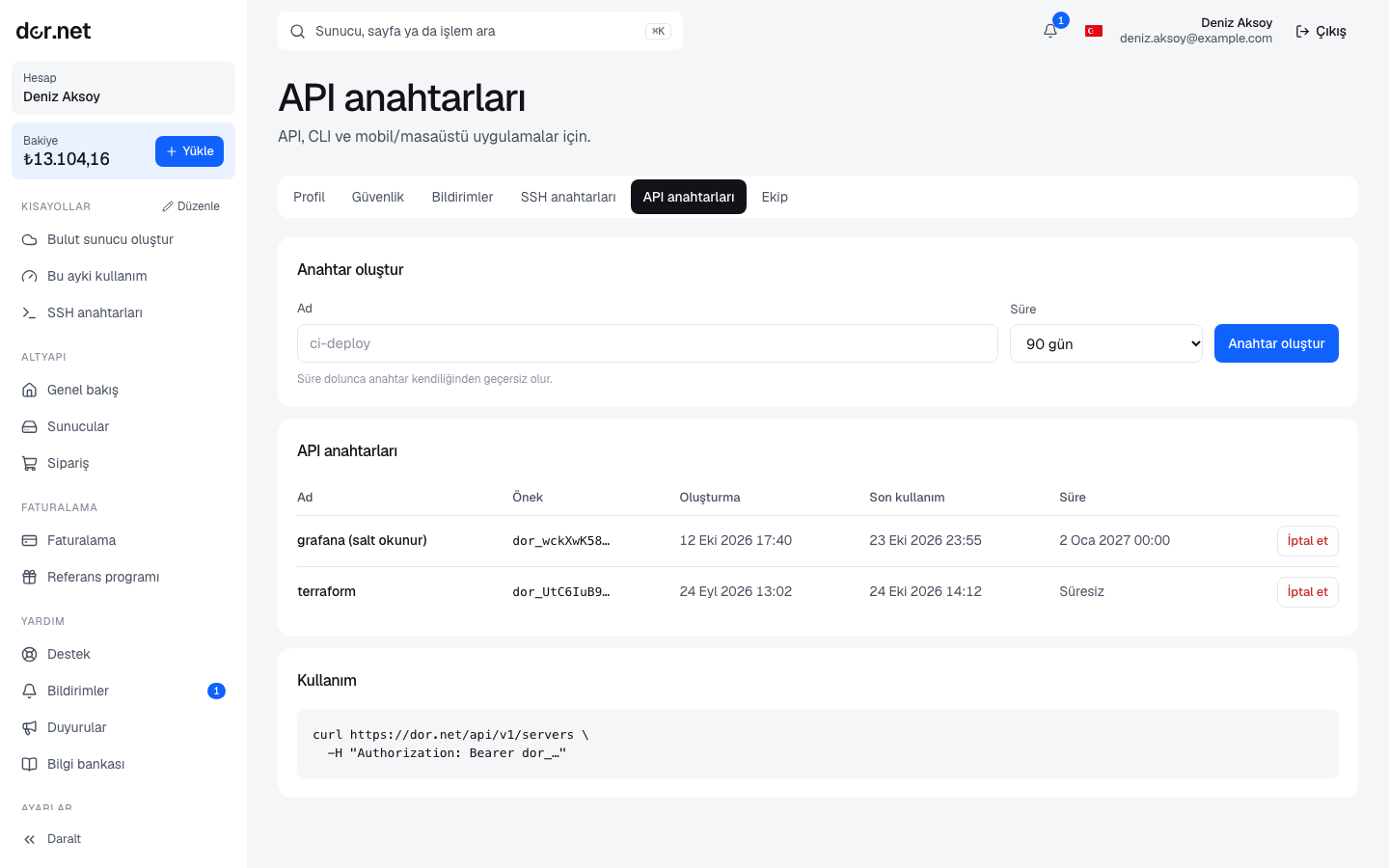
Scopes
Every key has scopes: read for read-only endpoints, write for writing endpoints (which includes reading). Keys created in the console come with read and write; the scopes are shown in the list. New write endpoints are announced here as they are added.
Usage
Send the key in the Authorization: Bearer header:
curl https://dor.net/api/v1/me \
-H "Authorization: Bearer dor_XXXXXXXX"Example response:
{
  "organization": { "id": "…", "name": "Example Ltd", "status": "active" },
  "balance": { "amount": 125.5, "currency": "EUR" },
  "scopes": ["read", "write"]
}Servers (dedicated and cloud in one list):
curl https://dor.net/api/v1/servers \
-H "Authorization: Bearer dor_XXXXXXXX"{
"items": [
{ "id": "d-…", "kind": "dedicated", "name": "db-1", "status": "active", "power": "on", "ipv4": "203.0.113.10", "os": "Ubuntu 24.04", "hardware": { "model": "…", "cpu": "…", "cores": 20, "threads": 40, "memoryGb": 256, "disks": "…" } },
{ "id": "…", "kind": "cloud", "name": "app-1", "status": "running", "plan": "c16", "memoryGb": 16, "vcpu": 4 }
]
}Endpoints
| Endpoint | Scope | Note |
|---|---|---|
GET /api/v1/me | read | organization, balance, scopes; a suspended account can still read it |
GET /api/v1/servers | read | dedicated services and cloud servers; not available to suspended accounts |
GET /api/v1/plans | no key needed | cloud plans and hourly prices |
GET /api/v1/stock | no key needed | live dedicated stock; filters ?minMemory=64&disk=nvme |
Rate limit
Each key may make 600 requests per hour. Every response carries the limit headers:
X-RateLimit-Limit: 600
X-RateLimit-Remaining: 597
X-RateLimit-Reset: 1760800000X-RateLimit-Reset is the Unix timestamp when the window closes. When the limit is exceeded you get 429 with a Retry-After header (seconds); do not retry before it elapses.
Error codes
| Code | Body | Meaning |
|---|---|---|
| 401 | {"error":"unauthorized"} | key missing, wrong, revoked or expired |
| 403 | {"error":"forbidden_scope"} | the key's scopes do not cover this endpoint |
| 403 | {"error":"org_suspended"} | the account is suspended; top up and retry |
| 429 | {"error":"rate_limited"} | rate limit; see the Retry-After header |
Revoking and security
- Revoke in the list invalidates the key immediately; this cannot be undone, create a new one instead.
- If a key leaked, revoke it first, then change your password on the security page.
- Never put the key in URLs, logs or client-side code; keep it in an environment variable on the server side.
- Creating and revoking keys is written to the audit log.