I forgot my password
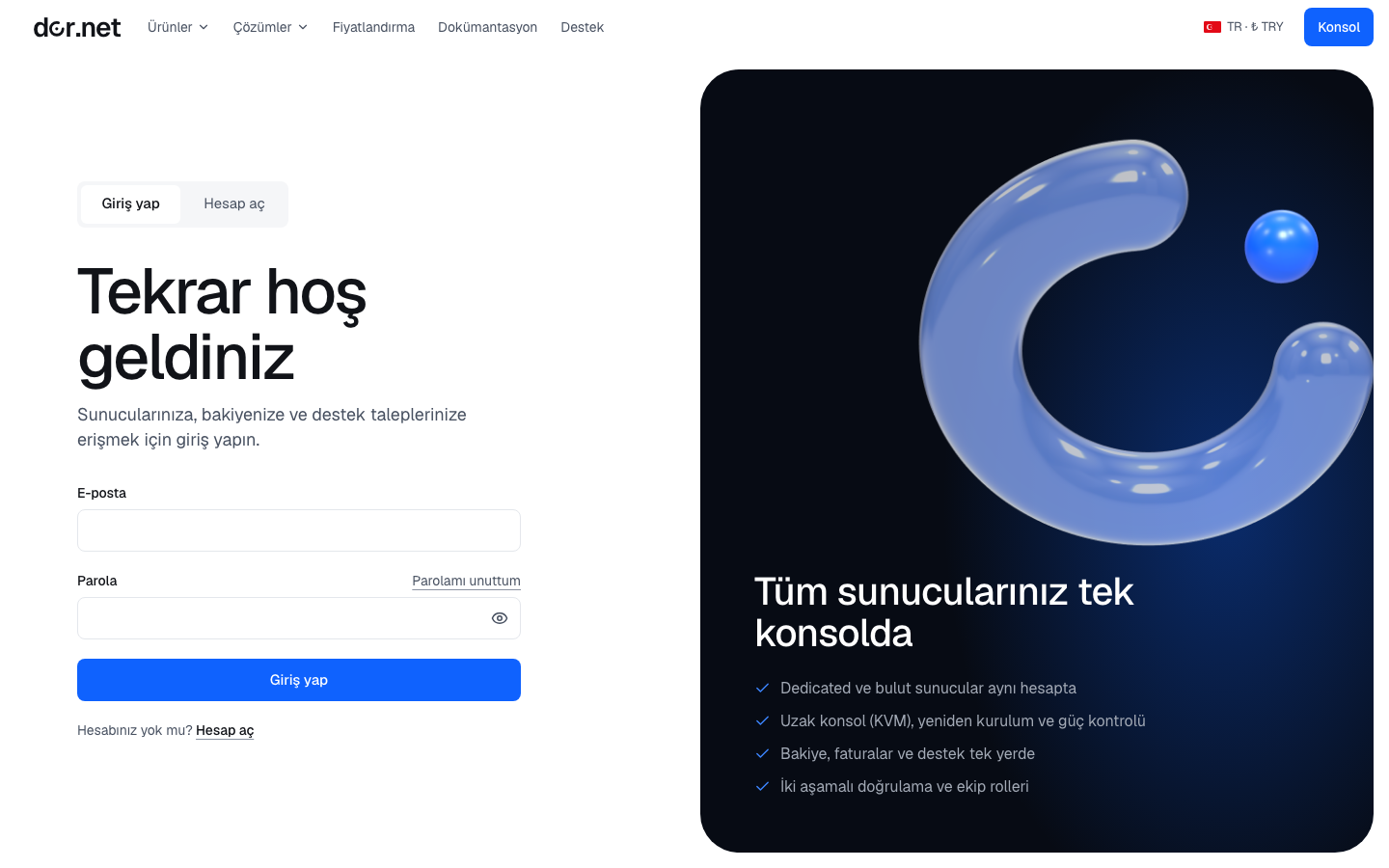
- Open the Forgot password link on the login page and enter your registered email address.
- The screen shows the same message in every case (whether the account exists is not revealed). If the account exists, an email with the reset link arrives within a few minutes; check the spam folder if it is not in the inbox.
- The link is valid for 1 hour and can be used once. Open it and enter your new password (at least 10 characters) twice.
- When the password changes, all sessions of that user are signed out; sign in with the new password. A "your password was changed" email is sent; if you did not make this change, contact us immediately.
At most 3 links per hour can be requested for the same address; requests beyond that are dropped silently. Requesting a new link also invalidates the old ones.
I know my password and want to change it
On Account → Security enter your current password and the new one (at least 10 characters). The session in this browser stays, sessions on other devices are signed out and an email is sent.
A good password
- At least 10 characters; a long random password from a password manager is best.
- Do not reuse a password from another site.
- Add two-factor authentication; then a leaked password alone cannot open the account.
FAQ
- No email arrives: make sure the address is spelled correctly; your account may have been created with a different address. If you are a team member, the admin who invited you can see your address.
- The link says "already used": every link works once; request a new one.
- 2FA is on and I have no phone: a password reset does not remove the second factor; follow the 2FA reset steps.
- I cannot access my email: write to hello@dor.net with your account details so we can verify your identity.