Stock and price
The Dedicated page is live stock: every row you see is a server that can be installed right now. Filter by CPU family, minimum memory and disk type. Prices are monthly and charged in your account's currency; configurations marked "on request" are priced by our sales team.
Order steps
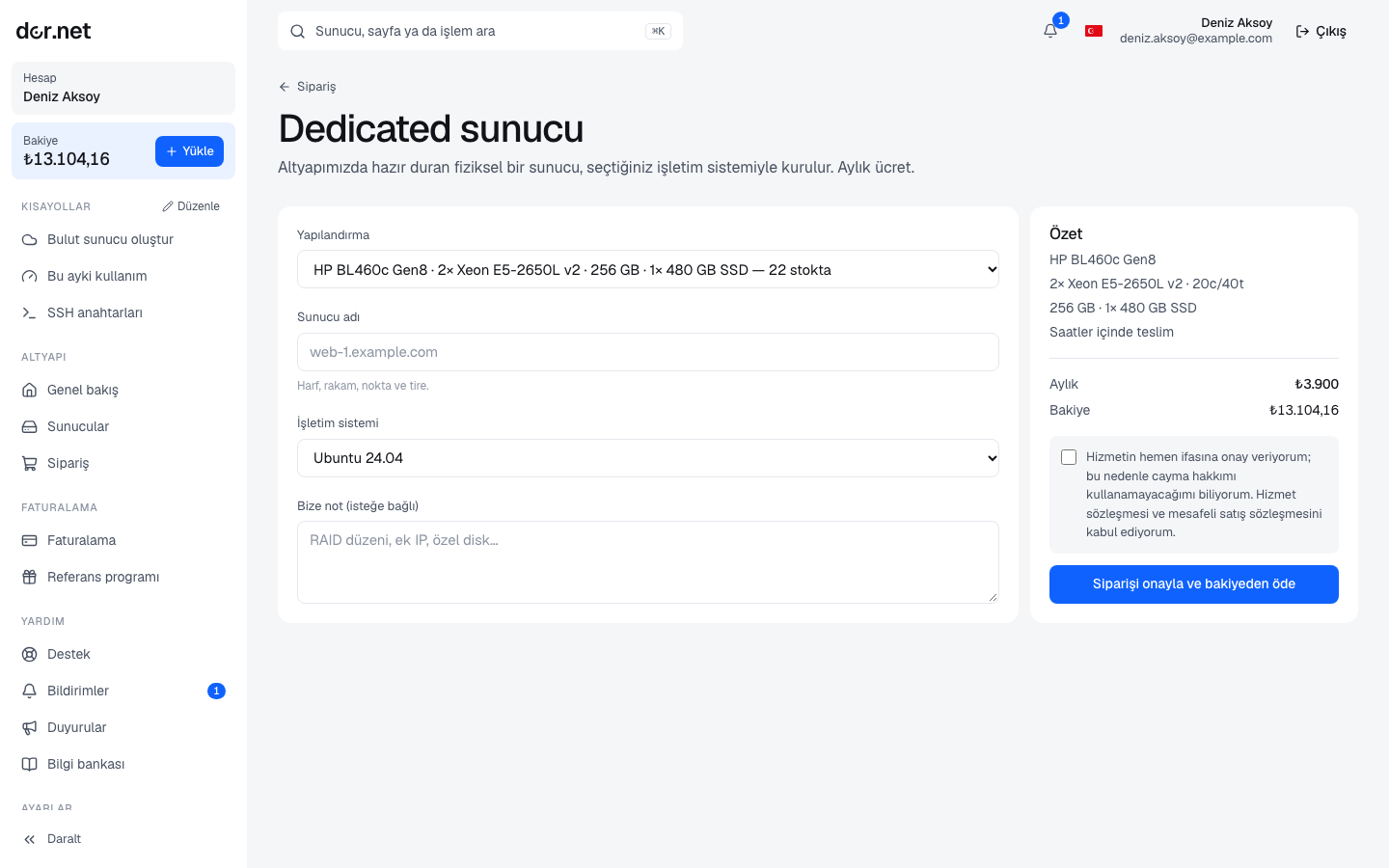
- Order next to a configuration takes you to the order page in the console (owner or admin role required).
- Enter a hostname: letters, digits, dots and dashes (for example
db-1.example.com). - Pick the operating system: Ubuntu 24.04 / 22.04, Debian 12, Proxmox VE 9 / 8.
- Optionally add a note: RAID layout, extra IPs, custom partitioning, custom ISO and the like.
- The summary on the right compares the monthly price with your balance; if it does not cover it, top up first.
Configurations with a listed price
The moment you place the order:
- The first month is charged to your balance.
- The server is marked "sold" in stock and installation is queued; the service status becomes Installing.
- When installation finishes the status becomes Active; you receive a notification and an email. Delivery usually takes hours; notes that need manual work (custom RAID, ISO) can take longer.
Quoted configurations
For configurations marked "on request":
- The server is reserved for you; nobody else can order it. Nothing is deducted from the balance.
- A support ticket is opened with our sales team automatically ("Price quote: …"); the conversation continues there. The service status shows Awaiting quote.
- Our team enters the monthly price and, if any, the setup fee; the status becomes Awaiting payment and you receive a notification.
- You see the quote on the server page and accept it with Pay and start installation: the first month plus the setup fee is charged and installation is queued.
The quote is given in your account's currency. If you change your mind, say so in the ticket; the server returns to stock.
After delivery
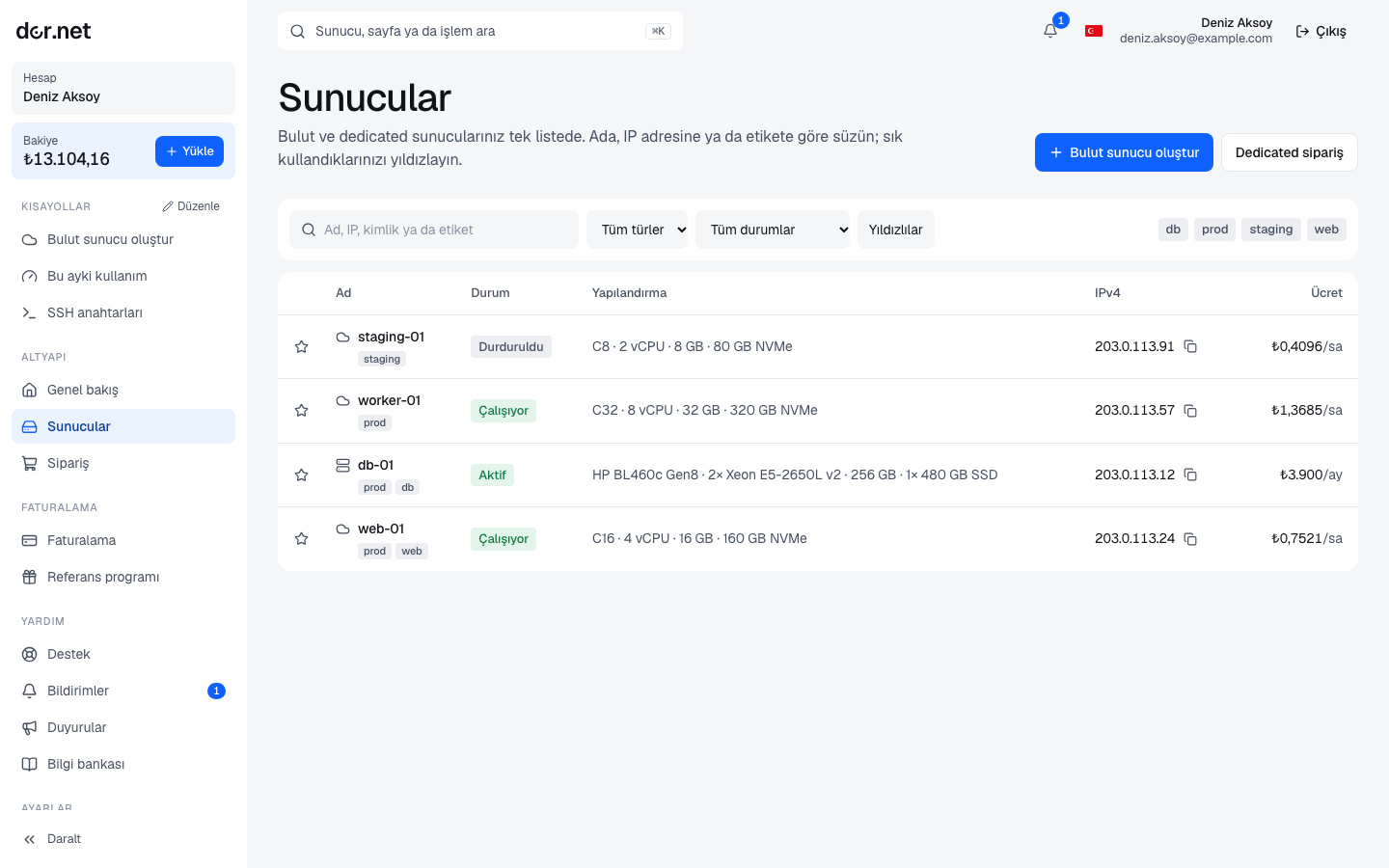
- The server page shows the IPv4 address, hardware summary, operating system, renewal date and the event log.
- The installation password and the Console (KVM / serial console) open once account verification is complete; every password reveal is written to the audit log.
- First steps: Connecting with SSH, and rDNS if needed.
- Power actions (on, off, reboot) and reinstalling are on the server page; the server must be Active.
Renewal
The service renews automatically from your balance every 30 days, on the "Renews" date. If the balance is insufficient the past-due chain runs: warning → suspension after 3 days (power off) → cancellation and return to stock 14 days after falling past due. While suspended, the moment you top up the fee is taken and the server is powered on. Details: Balance and billing.
Cancelling at the end of the period
To give the server up, use Cancel at period end on the server page:
- The service keeps running until the renewal date; on that day it is not renewed but closed, and the server returns to stock. Disks are wiped.
- You can withdraw the request until the renewal day; the event log shows both the request and the withdrawal.
- No refund is made for the remaining days; unused balance stays in your account.
Move your data before the cancellation; dor.net does not back up server contents.
FAQ
- Extra IPs, extra disks, more memory: write it in the order note or open a support ticket later; the sales team prices it.
- Changing the hostname: through support for now.
- Installation is taking long: check the event log on the server page; if something looks wrong, open a ticket and you get a reply the same business day.