
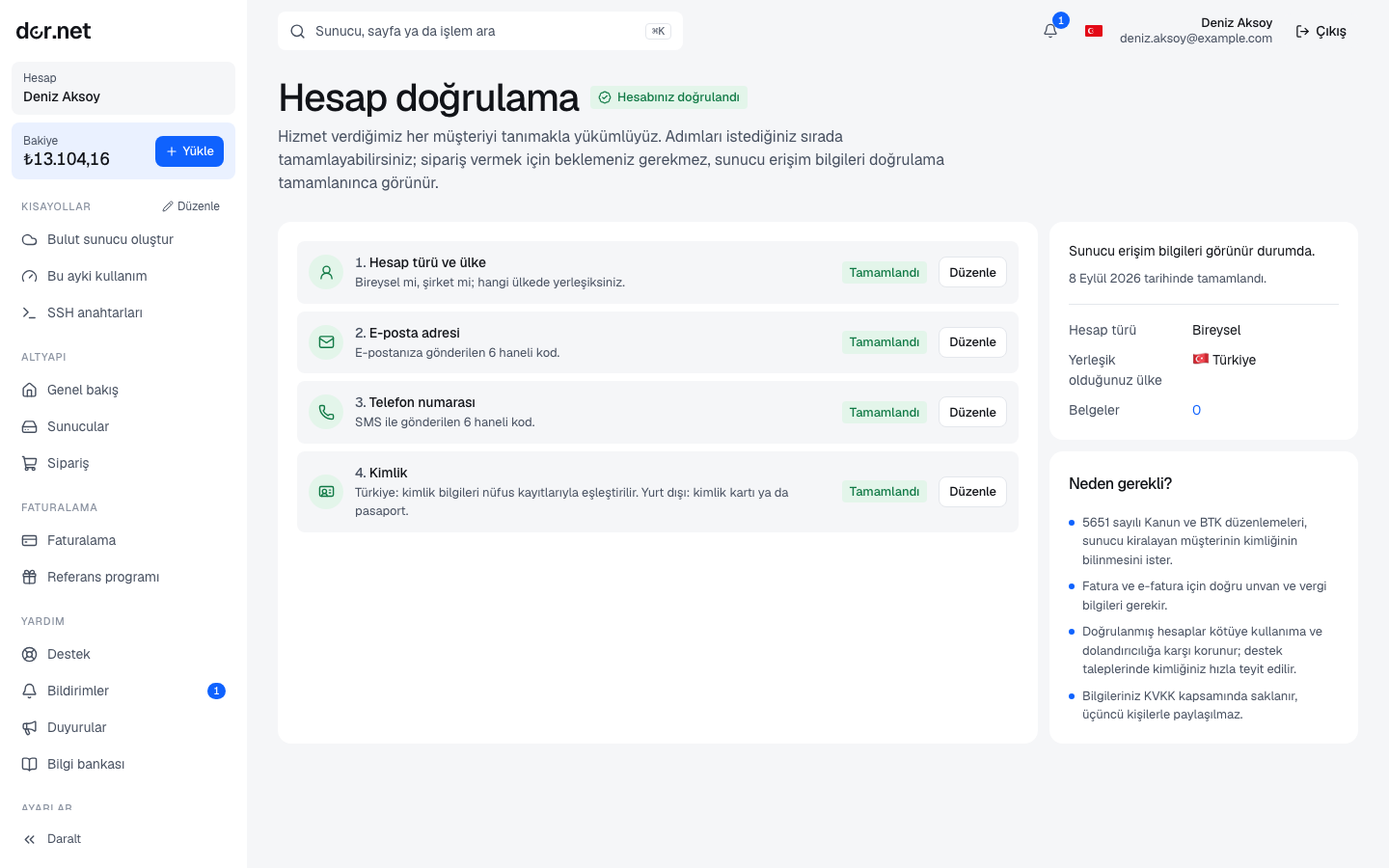
Steps
On the Verification page you first choose the account type (individual / company) and your country; the required steps depend on both.
Residents of Türkiye
| Step | How |
|---|---|
| one-time code sent to the address you registered with | |
| Phone | one-time code sent by SMS to your mobile number |
| Identity | Turkish ID number, name, surname and year of birth, checked instantly against official records. If the check fails you can upload a photo of your ID card or passport |
Company accounts additionally provide the legal name, tax number and tax office; these appear on your documents. Uploading a tax certificate or registry extract is optional.
Residents outside Türkiye
| Step | How |
|---|---|
| one-time code sent to the address you registered with | |
| Identity document | a legible photo or scan of your passport or ID card |
| Company | for companies, the legal name and tax/registry number, plus a certificate of incorporation or equivalent registry extract |
Documents are reviewed by our team, usually within one business day. You receive the approval or rejection in the console and by email; a rejection includes the reason and you can upload again.
Document rules
- File type JPEG, PNG or PDF; at most 10 MB. At most 10 documents can wait for review at the same time.
- All four corners must be visible and the text legible; glare or cropped documents are rejected.
- The document must be valid; expired IDs are not accepted.
- The name on the document must match the account; for companies the legal name must match the one on the account.
- You can delete a pending or rejected document yourself; approved documents remain on record.
Why we ask
- Hosting providers in Türkiye are required to verify the identity of their subscribers (Law No. 5651 and related regulations).
- It reduces abuse (spam, attacks, fraud) at the source, which protects the IP reputation of every customer on the same network.
- It ensures payments and refunds go to the right person.
Privacy
Identity data and documents are stored only for verification; document files are reachable only by the reviewing team, through a path that checks authorization. The file of a reviewed document is deleted automatically after 90 days; only the review record (type, date, outcome) remains. Details: Privacy and your data.
FAQ
- No SMS arrives: make sure the number starts with the country code; wait a few minutes and resend. The code can be tried a limited number of times.
- My ID number is registered on another account: an identity can be verified in one organization only; open a ticket about the old account.
- My company is new and has no document yet: a trade registry gazette entry or tax registration certificate is also accepted.
- Do team members need to verify too? No; verification is per organization and is done once.