
Opening a ticket
- Open Support → New ticket (every role can).
- Choose a subject (3–160 characters), a department and a priority, and write your message (up to 10,000 characters).
- Send creates the ticket with a number (starting at 1001). You are taken to the ticket page.
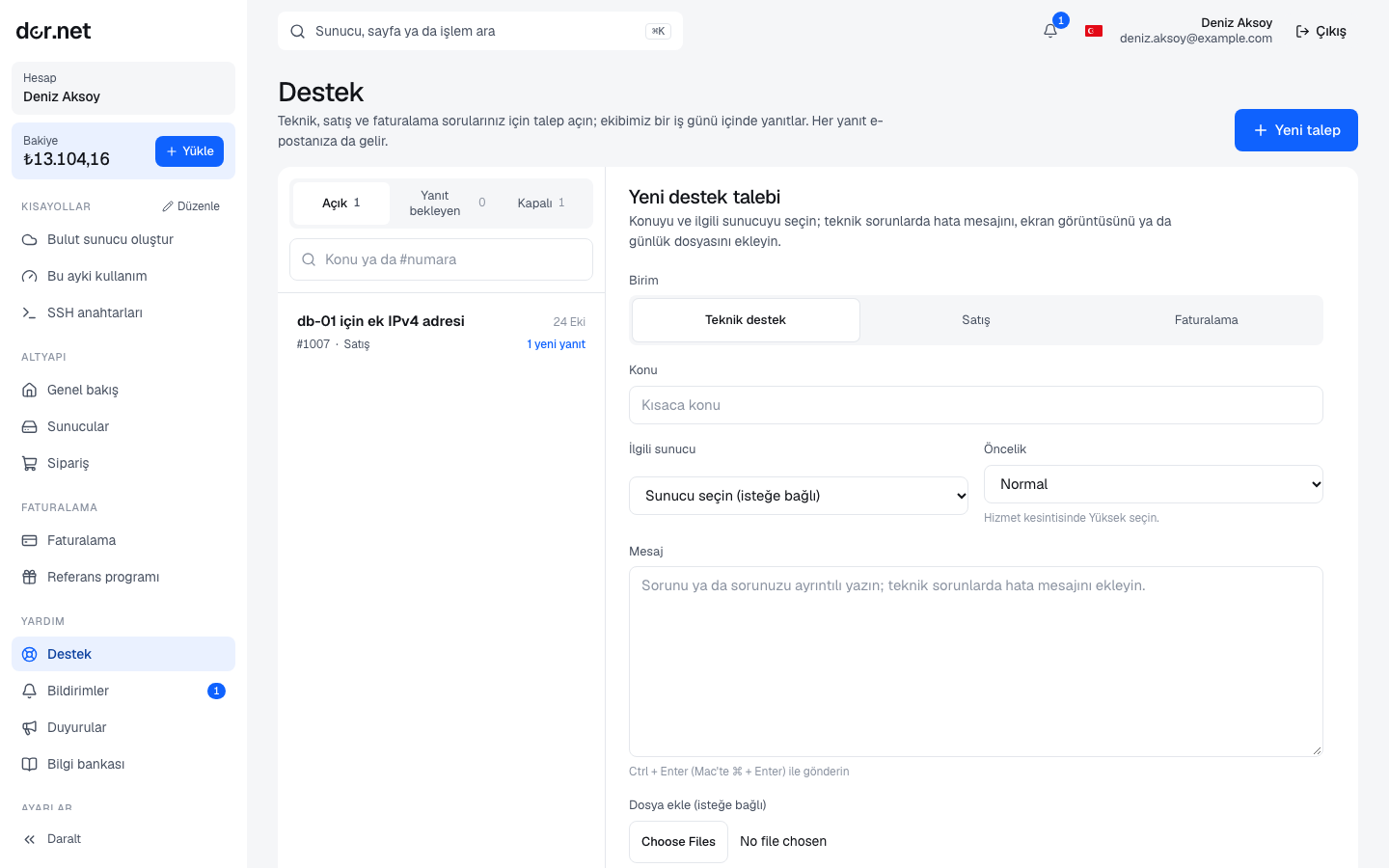
| Department | What for |
|---|---|
| Technical support | server, network, rDNS, installation, access problems |
| Sales | quotes, extra hardware/IPs, custom configurations |
| Billing | payment matching, refunds, document corrections |
Priority: Low (questions, suggestions), Normal (default), High (outage, loss of access).
A good ticket
To get it solved in one go, include:
- The server name or IP address (the name in the console is enough).
- What you did, what you expected, what happened; the full error text if there is one.
- Command output (
ssh -v,ip a,ss -tlnp,journalctl -xeand the like) with timestamps. - Any changes you made (firewall, reinstall).
Never send passwords or private keys; our team never asks for them. If needed we renew the installation password with a reinstall.
Ticket lifecycle
| Status | Meaning |
|---|---|
| Open | our team has not replied yet |
| Answered | our team replied, waiting for you |
| Customer replied | you wrote, our team is up |
| Closed | solved; open a new ticket if needed |
You can close a ticket yourself with Close. For quoted dedicated orders a sales ticket is opened automatically and linked to the order.
Notifications
The bell in the console header shows the number of unread notifications; the Notifications page lists all of them and each one links to the related page.
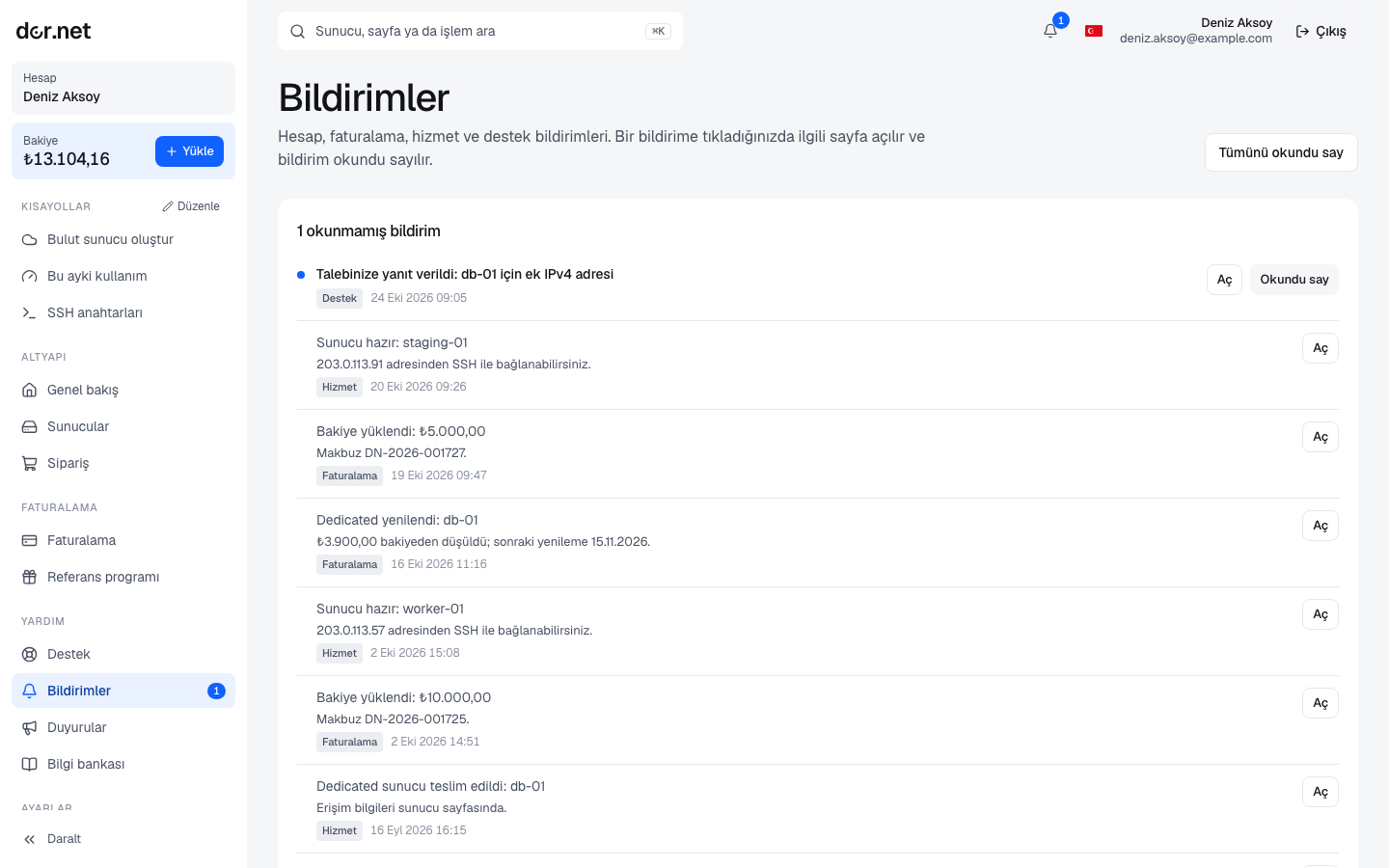
Notification types:
- Billing: balance topped up, low balance, insufficient balance for renewal.
- Service: server ready, suspended, closed at period end.
- Verification: document received, approved, rejected.
- Ticket: new reply.
- Announcement: planned maintenance and incidents (also published on the Announcements page).
Important notifications are also sent to your registered email; keep your address up to date.
Emergencies
If you cannot reach your server, first check its status and event log on the server page, then the incidents on the Announcements page. Open a high-priority ticket; putting "OUTAGE" in the subject moves it up the queue.