Hourly price
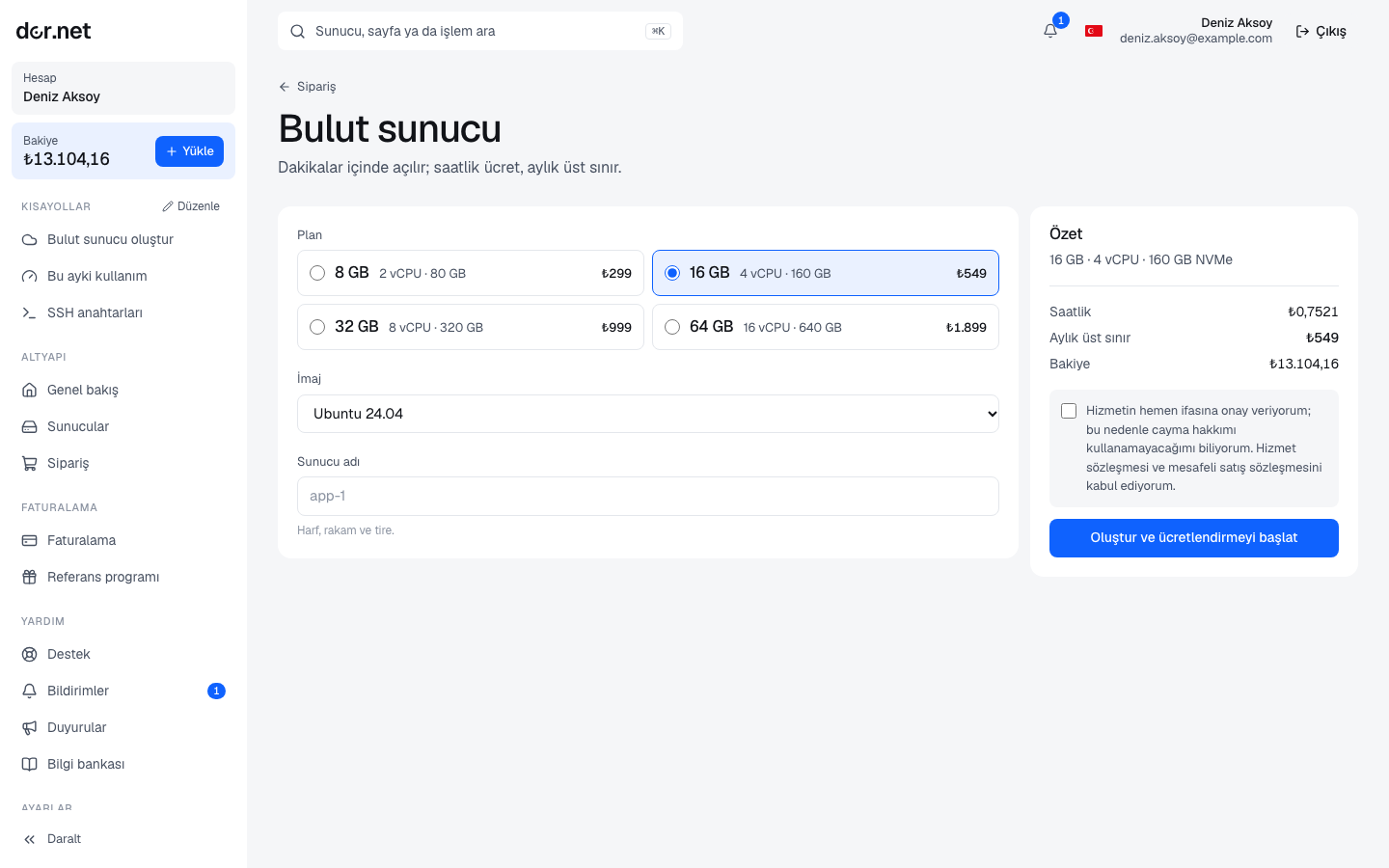
- Hourly price = the plan's monthly price ÷ 730. For example a plan at 11 € per month costs 0.0151 € per hour.
- The meter starts when the server is created. One line per full hour is deducted from the balance; in account activity it appears as "server name (plan) 1 hour".
- When the server is deleted the meter stops; the last incomplete hour is not charged.
Monthly cap: 730 hours
When a server reaches 730 hours in the same calendar month (Türkiye time), the remaining hours of that month are free. So for a server that runs all month you pay at most the monthly price; in 31-day months up to 14 hours are free. The cap is per server and does not carry over to the next month.
Which states are billed
| State | Billed | Why |
|---|---|---|
| Running | yes | |
| Installing | yes | resources are reserved |
| Stopped | yes | disk and IP address stay reserved for you |
| Suspended for balance | no | you are not pushed further negative for a server you cannot use |
| Suspended for abuse / by staff | yes | resources are still reserved |
| Deleted | no |
To stop charges entirely you must delete the server; stopping is not enough.
Balance required to order
To create a cloud server your balance must cover at least one month of the plan. This is not a pre-charge; only the hours used are deducted.
When the balance runs out
- When the balance goes negative, running cloud servers are suspended and stopped; the event log records "balance went negative".
- Time spent suspended is not billed.
- When you top up (and the balance is positive again), suspended servers are restarted automatically; the event log shows "balance topped up; server restarting".
To avoid getting there, watch the low balance warnings: if your balance will run out in less than 3 days at the current rate, you receive a notification and (at most once a day) an email.
Monthly statement
At the start of each month a usage statement is created for last month's cloud usage, one line per server: "Cloud usage 2026-10 · app-1 (c16) · 730 hours". Since payment was already taken hour by hour, the document is already paid; download its PDF from the Billing page. Details: Invoices, e-Invoice and PDF.
Examples
- 3-day test: 16 GB plan (11 €/month) running 72 hours, then deleted → 72 × 0.0151 ≈ 1.09 €.
- Running all month: the same plan for 31 days → 730-hour cap → 11 €.
- Stopped and forgotten: stopped for 20 days → 480 hours are billed. Delete servers you will not use.
FAQ
- Can I change the plan? Not yet; create a server with the new plan and move the data.
- Is traffic charged? No; there is no traffic limit, only server hours are billed.
- Which time zone does the meter use? Month boundaries follow Türkiye time (Europe/Istanbul); hour boundaries line up with UTC.